
FinOps Agent
Your cloud bill, in conversation. Ask why spend moved, where waste hides, and what to fix next — answers grounded in live multi-cloud data.
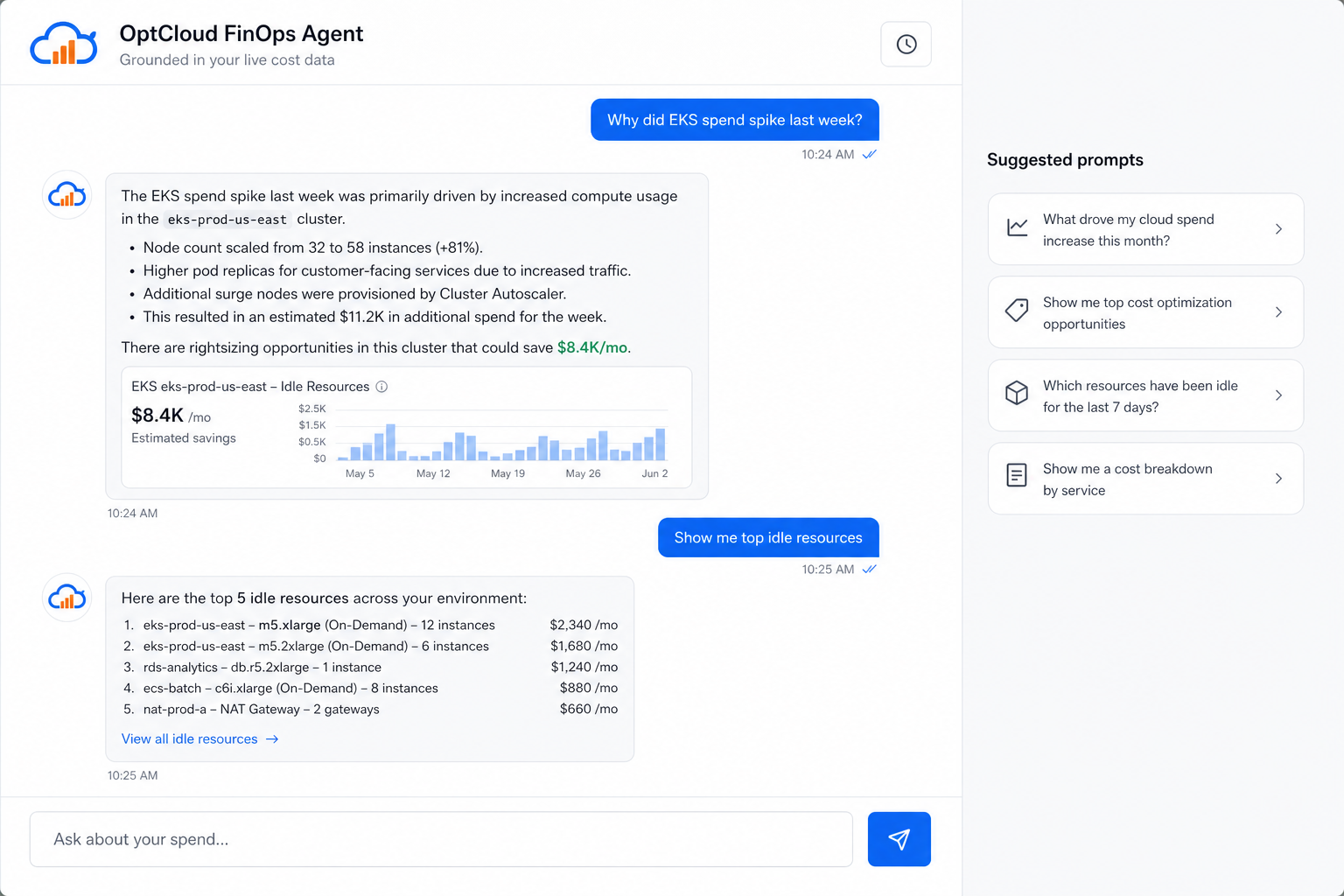
EKS spend increased 23% between Nov 4–11, driven by eks-prod-us-east.
- Node pool scaled 32 → 58 m6i.4xlarge after a Nov 5 deploy
- Inter-AZ traffic up +$1,240 from the analytics namespace
I found 3 rightsizing opportunities worth $8.4K/mo.
Top idle waste — $15.2K/mo identified:
Want me to draft a cleanup workflow?
Suggested prompts
A real session, not a generic chatbot
Below is a product-style capture of FinOps Agent walking a FinOps lead through an EKS spike and idle waste — the same interaction pattern in the OptCloud app.
Built for FinOps workflows
Not a wrapper around a public LLM. The Agent is wired to your OptCloud ledger, recommendations engine, and ownership tags.
Ask in plain English
Spike root causes, idle waste, forecasts, team budgets — answered from your connected accounts, not generic advice.
Grounded in live data
Every answer cites your CUR, Cost Management exports, and inventory — so engineering and finance trust the numbers.
Recommendations, not essays
The Agent surfaces prioritized savings with estimated monthly impact and clear next steps.
Draft workflows to act
Turn a finding into a cleanup or rightsizing plan with human approval — no silent changes to production.
Multi-cloud by default
AWS, Azure, GCP, Kubernetes, and data platforms in one conversation thread.
Least-privilege by design
Read-only connectors. No write access unless you explicitly enable automation later.
From question to action in three steps
Connect cloud accounts
Read-only roles pull cost and inventory. First sync typically lands the same day.
Ask a real question
Open FinOps Agent and ask what you would ask a senior FinOps analyst.
Review and act
Validate the evidence, then approve a recommendation or draft workflow.
Ready to ask your cloud bill a question?
See FinOps Agent on your own accounts — or walk through a guided demo with our team.